For Australian commercial landowners and large rural property managers, traditional robot mowers that require perimeter wiring bring plenty of headaches. Digging trenches, laying cables and repairing damaged wires waste labour and increase long-term maintenance costs. If you are sourcing a reliable robotic mower for orchards, solar farms, vineyards and large acreage estates, a robot lawn mower without perimeter wire is the ideal solution.
Our RTK navigation robotic mower removes the need for boundary cables completely. It relies on high-precision satellite positioning to map your working zones, set no-go areas and run automatic mowing tasks. It works well on uneven ground, slopes and scattered obstacles common on Australian farmland. You can create multiple separate work zones, adjust mowing schedules remotely and monitor the working status in real time. To learn more about our commercial-grade navigation options, read our guide about commercial robotic mowers australia.
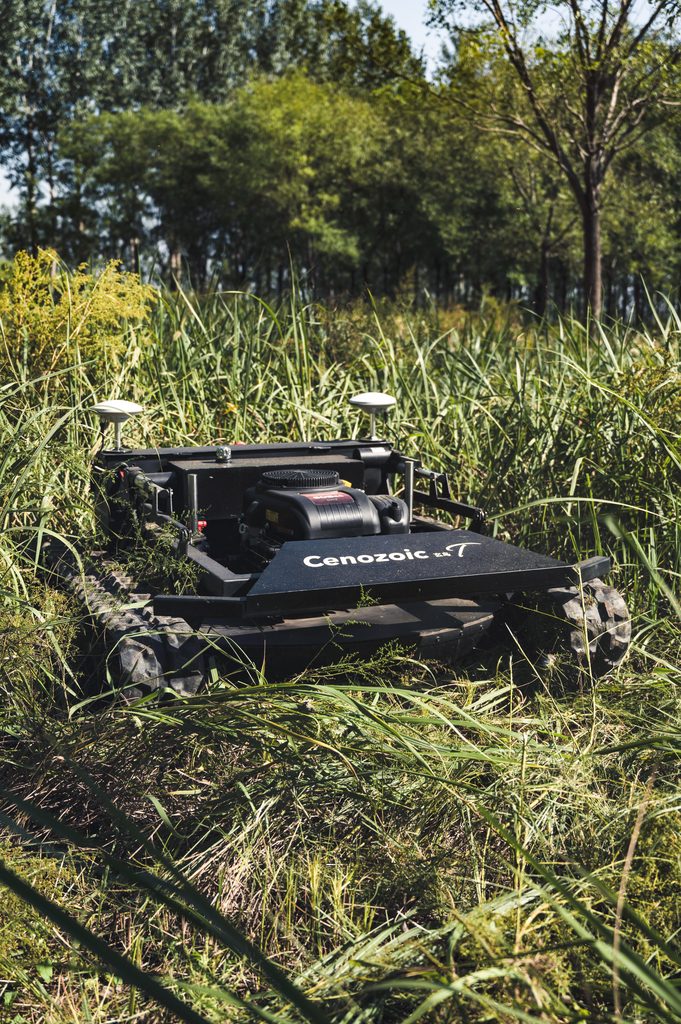
T1 tracked RTK robot mower without perimeter wire for Australian orchards and sloped farms
Wire-free operation also brings great flexibility. When your planting layout or site boundary changes, you do not need to re-lay cables. You simply re-map the area via remote control. This feature suits seasonal farm management and long-term commercial site maintenance.
FAQ
Q: Does a perimeter wire free robot mower work on steep slopes in Australia? A: It supports slope operation for Australian rural and commercial sites. The safe working angle depends on ground traction and terrain. Send us your site photos for evaluation before purchase.
Q: Can I manage multiple separate mowing zones without boundary cables? A: Yes. You can map different zones, set independent mowing plans and assign working priorities for orchards, solar farm aisles and open lawn areas.
Q: Is this wire-free robot mower built for small residential backyards? A: This model is designed primarily for commercial, farm and large acreage applications. It is not optimized for small suburban yards.